Structural Overlay
Overlay two structures to compare them. With no flag the alignment strategy is picked automatically:
Both have metals → metal-fragment overlay: enumerates every metal-to-metal pairing, narrows ligands to each metal’s coordination shell, and pivots Kabsch on the metal so paired metals coincide exactly.
Same shape + same elements (no metals) → index-paired Kabsch on every atom.
Otherwise → type-aware MCS finds the largest shared connected substructure. Matching classes are
C,H,M(any metal), andhet(everything else — N, O, P, S, halogens all fold together). Aromatic-ring seeds bias the search so benzene-like rings land on benzene-like rings. No halogen-specific class today; use--align-atoms "F,Cl,Br,I"to scope a fit to halogens.Last resort (no MCS match) → PCA + tiered nearest-neighbour ICP, mass-weighted Kabsch. Pairing tries element-strict first, then IUPAC group (
hal,pnic,chal,noble,triel,tetrel), then unrestricted geometric NN; rotation weights atoms by atomic number so metals/halogens anchor the fit instead of being averaged with the C–H scaffold. Useful for small fragment-onto-larger-scaffold overlays where MCS can’t find a connected match.
With --align-atoms SELECTOR the user picks the candidate atoms. Metals in the selection on both sides → metal-fragment overlay (paired metals coincide exactly). Otherwise the algorithm tries MCS-on-induced-subgraph and K-subset Kabsch, returning the lowest-RMSD candidate. The selector grammar is identical to every other selector flag (element symbols, categories, atom-index ranges).
The chosen strategy is logged at INFO with paired-atom count and full-molecule RMSD so you can see which path ran.
Default |
Custom colour |
Rotation GIF |
|---|---|---|
|
|
|
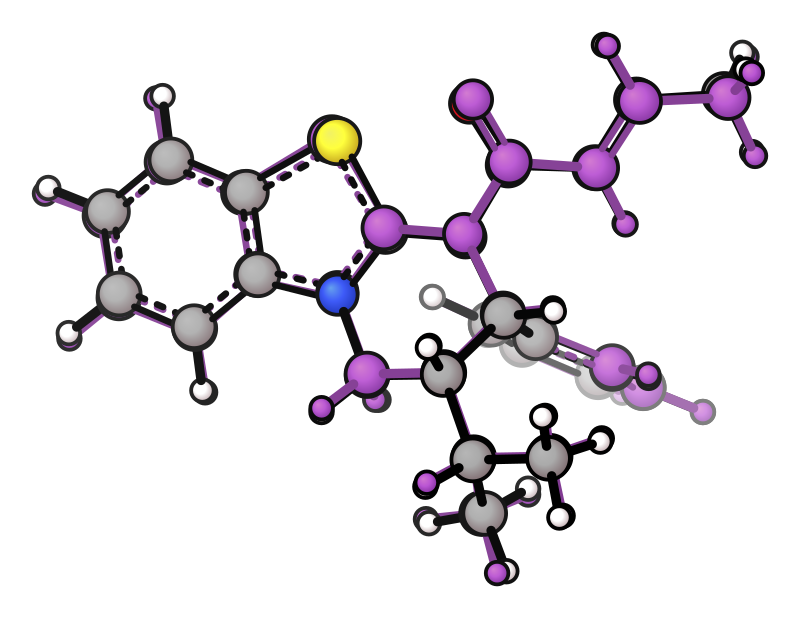
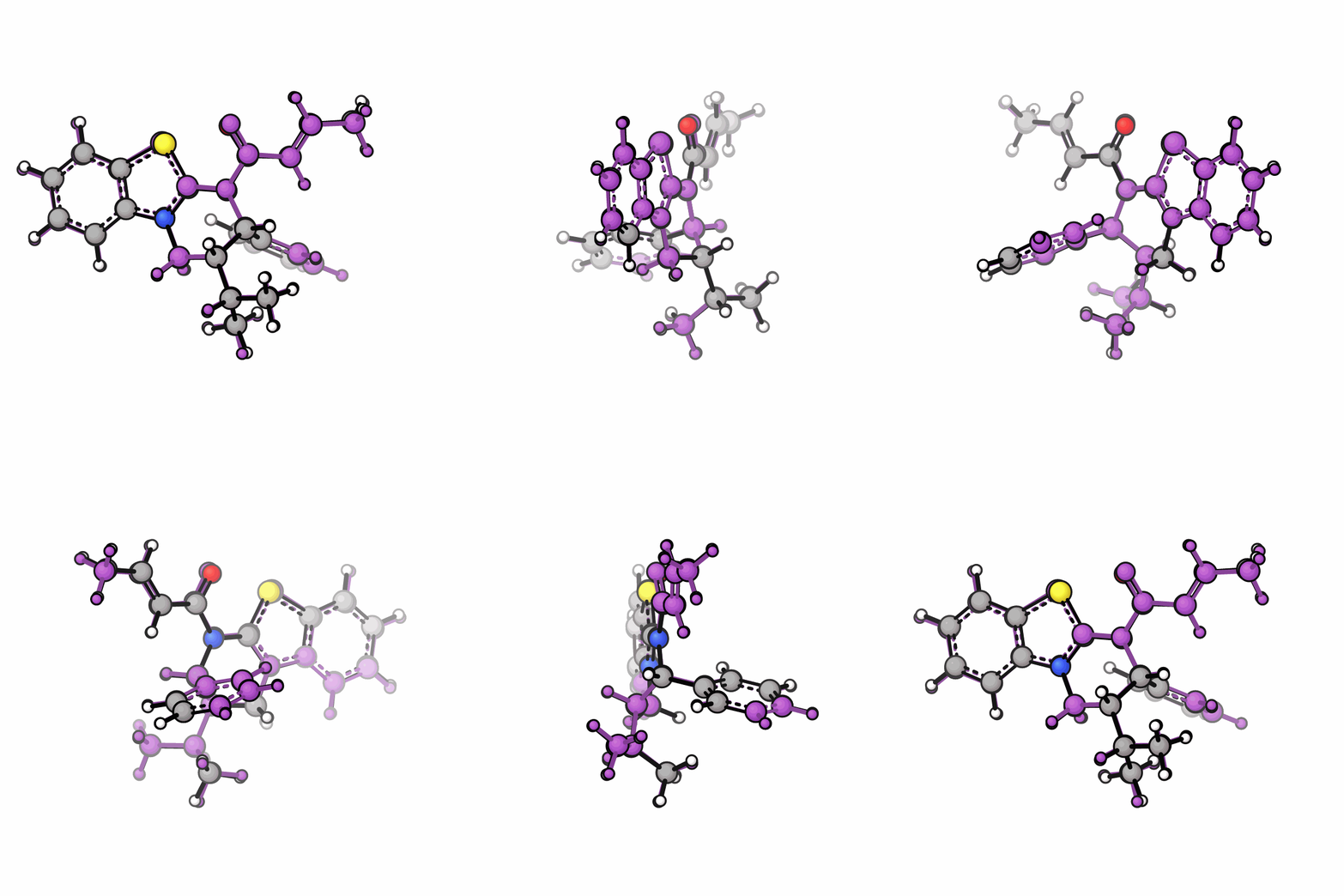
xyzrender isothio_xtb.xyz --overlay isothio_uma.xyz -c 1 --hy -o isothio_overlay_rot.svg --gif-rot -go isothio_overlay.gif
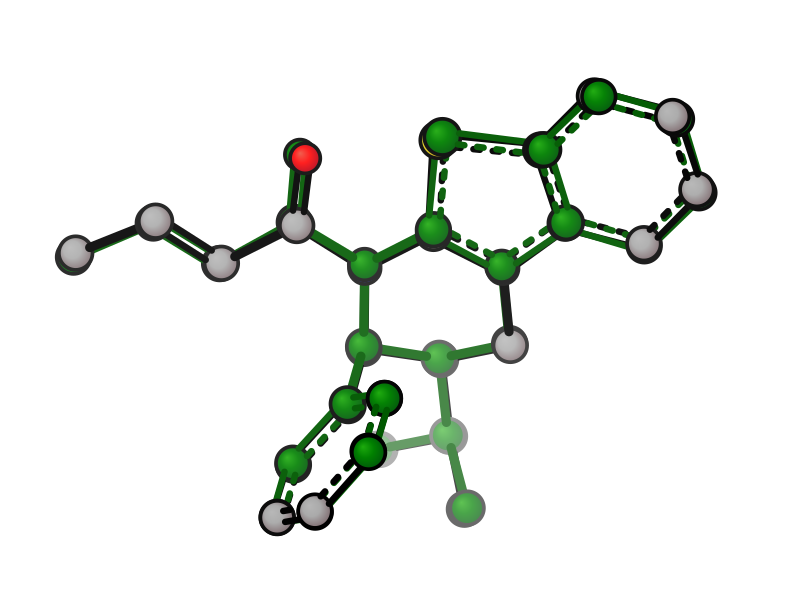
xyzrender isothio_xtb.xyz --overlay isothio_uma.xyz -c 1 --overlay-color green -a 2 --no-orient -o isothio_overlay_custom.svg
From Python:
from xyzrender import load, render, render_gif

mol1 = load("isothio_xtb.xyz", charge=1)
mol2 = load("isothio_uma.xyz", charge=1)

render(mol1, overlay=mol2)                        # overlay mol2 onto mol1
render(mol1, overlay=mol2, overlay_color="green") # custom overlay color
render_gif(mol1, overlay=mol2, gif_rot="y")       # spinning overlay GIF
Cross-molecule overlay
Molecules with different atom counts or elements can be overlaid directly. The shared scaffold is found automatically and used as the alignment basis:
Cross-molecule overlay |
Rotation |
|---|---|
|
|
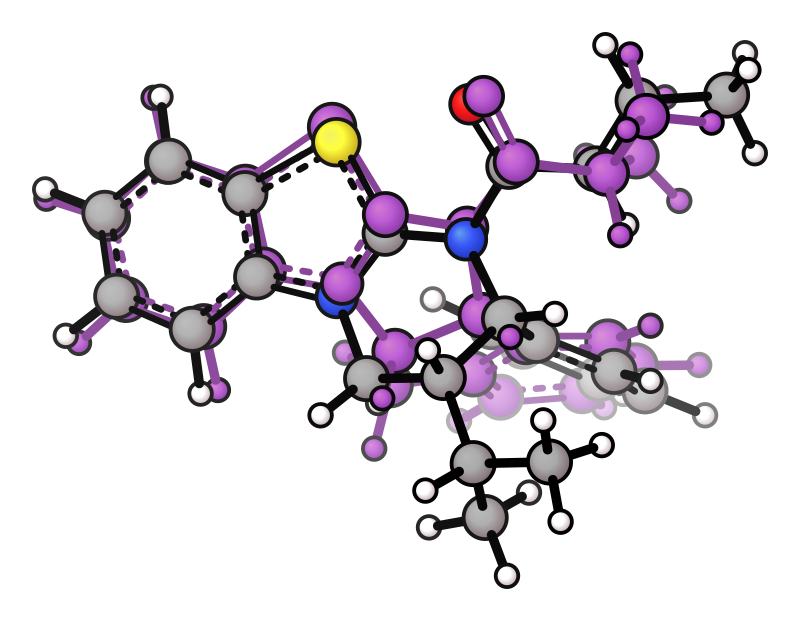
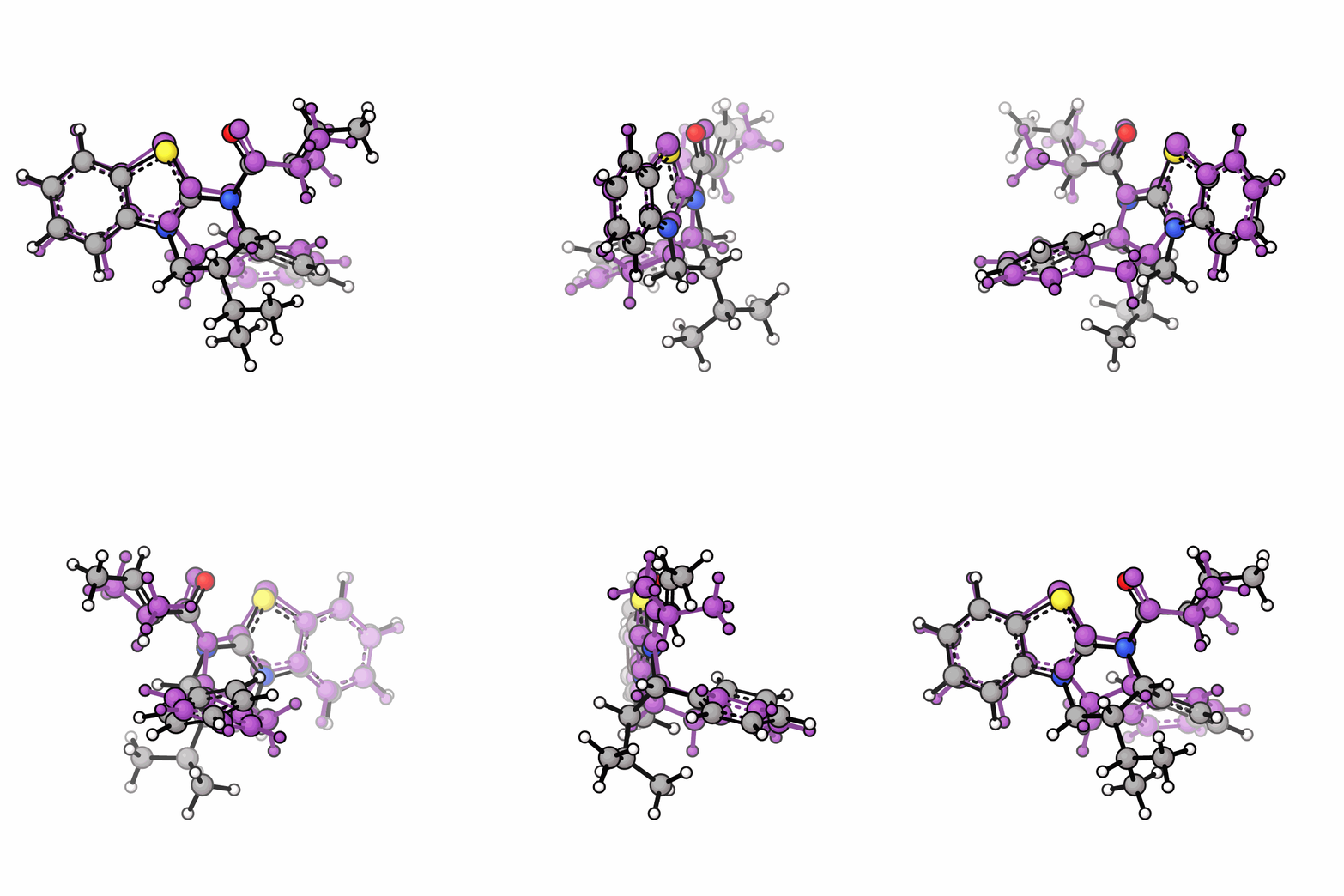
xyzrender isothio_xtb.xyz --overlay isothio_fused.xyz -c 1 --hy --gif-rot
mol1 = load("isothio_xtb.xyz", charge=1)
mol2 = load("isothio_fused.xyz")
render(mol1, overlay=mol2)  # aligns on largest shared connected substructure
Organometallic overlays
When both structures have a metal centre, the default (no flag) runs metal-fragment overlay — metals are pivoted so they coincide exactly and the coordination-shell atoms (ligands) are pair-enumerated to find the geometrically tightest assignment. For polynuclear complexes, every metal-to-metal pairing is tried and the one with the lowest full-molecule RMSD wins.
xyzrender complex1.xyz --overlay complex2.xyz                   # default: metal-fragment overlay
xyzrender complex1.xyz --overlay complex2.xyz --align-atoms M,L # explicit selector
--align-atoms accepts the full selector grammar — M, L, het, element symbols (Fe,P), atom indices (1-5), or any combination. When the spec includes metals (e.g., M, M,L), the metal-fragment overlay runs and paired metals coincide exactly — same guarantee as the no-flag default. Use explicit selectors when you want to scope the alignment (e.g., Fe,P to pin Fe centres and their P donors).
Per-overlay style (independent of the primary)
The overlaid structure has its own style knobs that mirror the primary flags. All of them are absolute (not multipliers on the primary) and individually optional — unset fields inherit from the primary config.
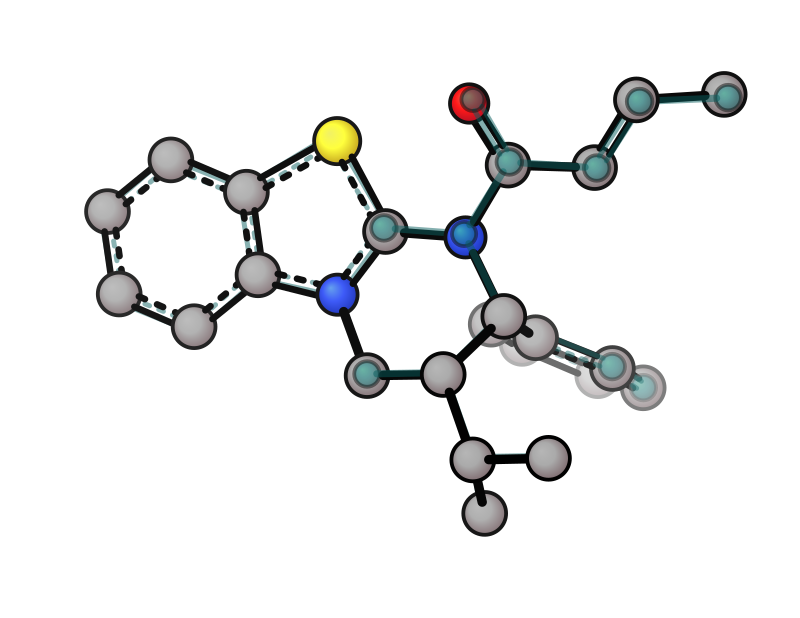
# Faded teal overlay, smaller atoms and thinner bonds than the primary
xyzrender isothio_xtb.xyz --overlay isothio_uma.xyz -c 1 --hy \
    --overlay-color teal --opacity 0.5 \
    --overlay-atom-scale 1.5 --overlay-bond-width 15
From Python — either keep using the flat overlay_color= / opacity= kwargs, or pass a full OverlayConfig for everything else:
from xyzrender import load, render, OverlayConfig

mol1 = load("isothio_xtb.xyz", charge=1)
mol2 = load("isothio_uma.xyz", charge=1)

render(
    mol1,
    overlay=mol2,
    overlay_config=OverlayConfig(
        color="teal",
        opacity=0.5,
        atom_scale=1.5,
        bond_width=15,
        unbond=["all"],   # overlay-only bond rules (indices are 1-indexed on the overlay)
        # show=["N,O"],   # optional: render only these overlay atoms (post-align, per --overlay-show)
    ),
)
Preset JSON carries the same shape — drop it in your custom preset to apply everywhere:
{
  "overlay": {
    "color": "teal",
    "opacity": 0.5,
    "atom_scale": 1.5,
    "bond_width": 15
  }
}
Full config on the overlay
For RenderConfig fields that don’t have a dedicated --overlay-* CLI shortcut (atom_gradient_strength, bond_gap, fog, skeletal_style, bond_color_by_element, …), set overlay.config to a full RenderConfig and the renderer applies it to the overlay atoms via the same machinery as style regions. Scalar shortcuts above still win over whatever config sets.
from xyzrender import load, render, OverlayConfig, build_config

render(
    load("isothio_xtb.xyz", charge=1),
    overlay=load("isothio_uma.xyz", charge=1),
    overlay_config=OverlayConfig(
        color="teal",
        config=build_config("tube"),   # full preset on the overlay only
    ),
)
Preset JSON supports the same via a nested "config" block — anything the main presets accept is valid here:
{
  "overlay": {
    "color": "teal",
    "config": {
      "atom_gradient_strength": 2.0,
      "bond_gap": 0.3,
      "bond_color_by_element": true
    }
  }
}
Two flat colours
To drop CPK entirely and paint each structure a single flat colour, pair --mol-color (primary) with --overlay-color (overlay). The overlay keeps its own colour — --mol-color only paints atoms that don’t already carry a per-structure colour.
xyzrender isothio_xtb.xyz --overlay isothio_uma.xyz -c 1 --hy \
    --mol-color steelblue --overlay-color coral
Skip alignment
--no-align disables Kabsch/MCS so the overlay keeps its raw coordinates relative to the primary. Useful when two optimisations already share a frame and you want to visualise the geometric difference directly. Works for both --overlay and --ensemble, and -I rotation applied to the base still propagates to the overlay under --no-align.
xyzrender isothio_xtb.xyz --overlay isothio_uma.xyz -c 1 --hy --no-align
TS bonds on the overlay
Mirror --ts and --ts-bond for the overlay. Both flags require --overlay FILE.
# Auto-detect TS bonds in the overlay via graphRC (overlay needs freq data)
xyzrender sn2.out --overlay sn2_alt.out --overlay-ts

# Manual TS bonds on the overlay, 1-indexed in the overlay's atom list
xyzrender sn2.out --overlay sn2_alt.xyz --overlay-ts-bond "1-7"
Flag |
Description |
|---|---|
|
Second structure to overlay (RMSD-aligned onto the primary). Molecules can have different atom counts — alignment uses the largest shared connected substructure |
|
Overlay atom colour (bonds auto-darkened 30 %) |
|
Overlay transparency 0–1 (also used by ensemble/surfaces — the active mode wins) |
|
Absolute atom radius scale for the overlay only |
|
Absolute bond width for the overlay only |
(preset / Python only) |
|
|
Hide bonds on the overlay only (same grammar as |
|
Force-show / add bonds on the overlay only (1-indexed, overlay-local) |
|
Run graphRC TS detection on the overlay (mirrors |
|
Manual TS bond pair(s) on the overlay, 1-indexed in the overlay’s atom list (mirrors |
|
Render only these atoms of the overlay (same grammar as |
|
Force / skip Kabsch/MCS alignment (default: on). |
|
Alignment subset (min 3 atoms). Numeric: 1-indexed IDs ( |