Highlight & Molecule Color
Color specific atom groups to visualise partitioning, active sites, or any structural decomposition. Multiple highlight groups can be used simultaneously, each with its own color. A flat molecule color (--mol-color) can serve as a neutral base for highlights to paint on top of.
All atom indices are 1-indexed and accept comma-range syntax ("1-5,8,12").
Single-group highlight
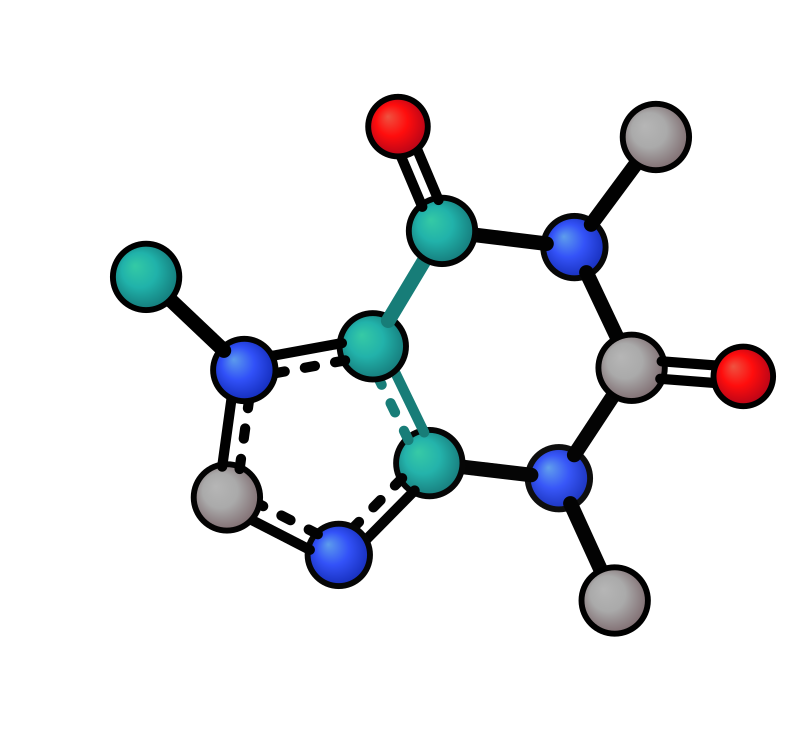
Color a set of atoms and their connecting bonds. Without an explicit color, the first palette color (orchid) is used.
Default (orchid) |
Custom colour |
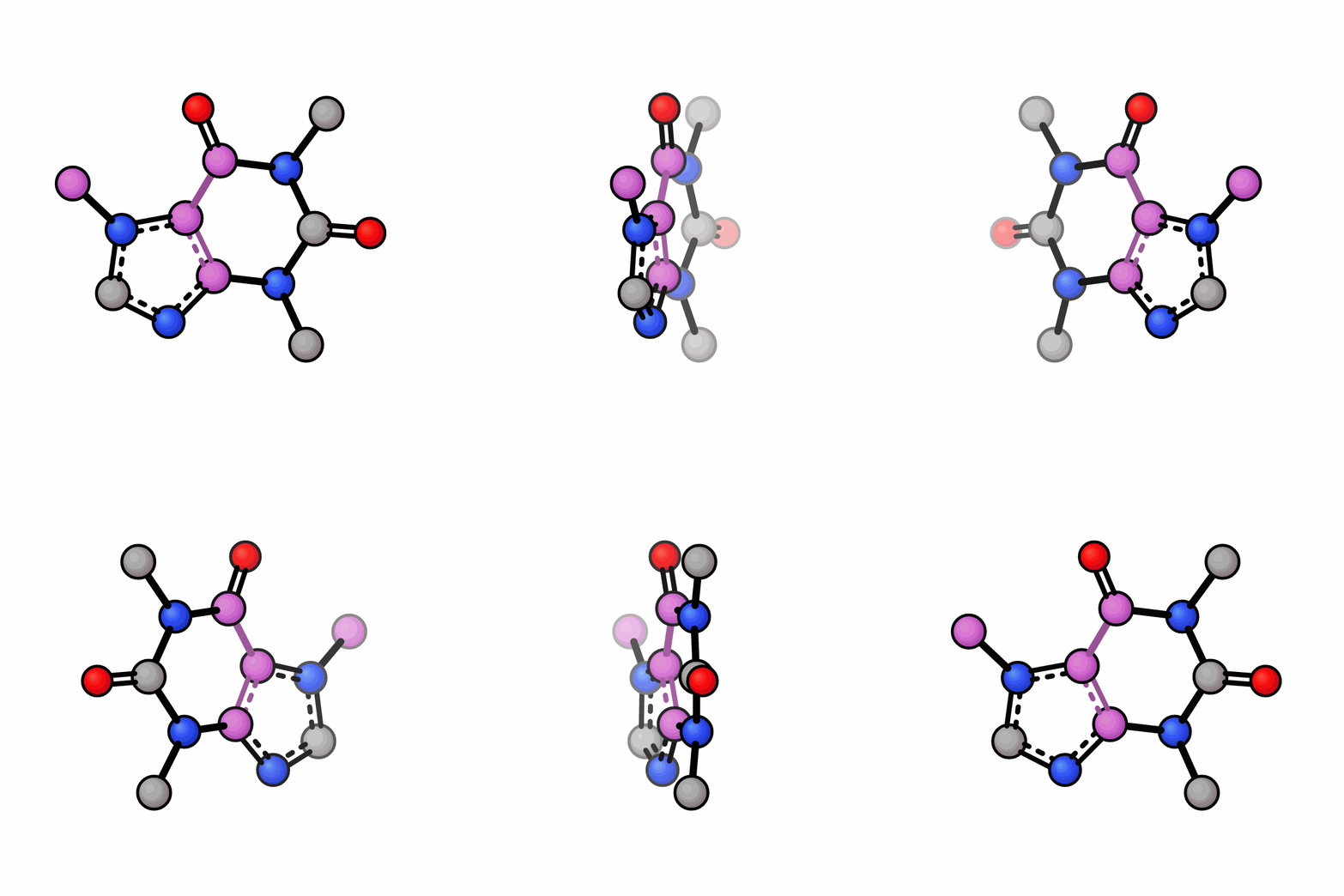
Rotation |
|---|---|---|
|
|
|
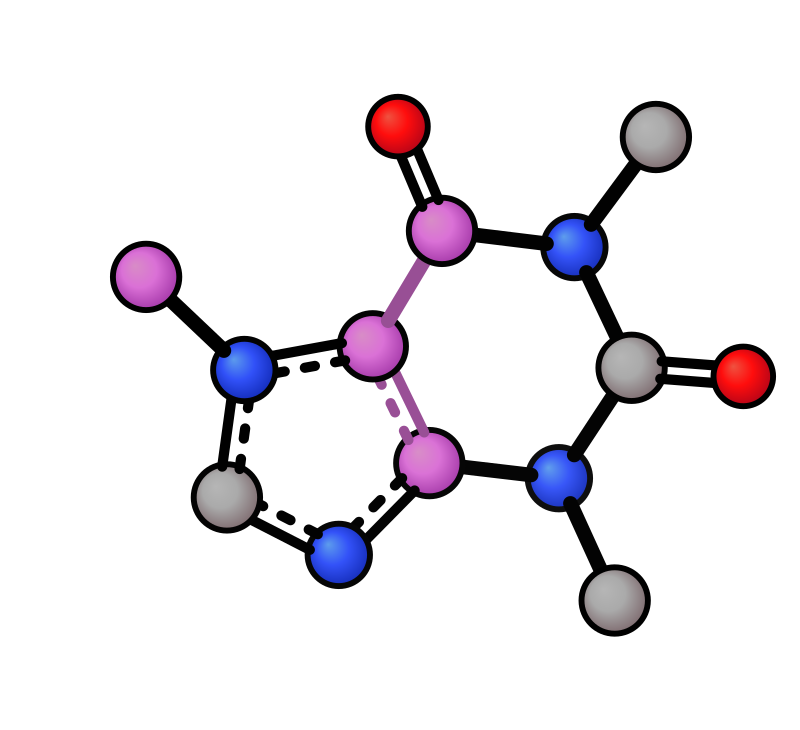
xyzrender caffeine.xyz --hl "1-3,7"                    # orchid (default)
xyzrender caffeine.xyz --hl "1-3,7" lightseagreen      # custom colour
xyzrender caffeine.xyz --hl "1-3,7" --gif-rot -go hl.gif  # works in GIFs
Python
render(mol, highlight="1-3,7")                          # string
render(mol, highlight=[1, 2, 3, 7])                     # list
render(mol, highlight=[("1-3,7", "lightseagreen")])     # with explicit color
Molecule color
Paint all atoms and bonds a single flat color, replacing the default CPK element coloring.
xyzrender caffeine.xyz --mol-color gray --hy
Python
render(mol, mol_color="gray", hy=True)
Multi-group highlight
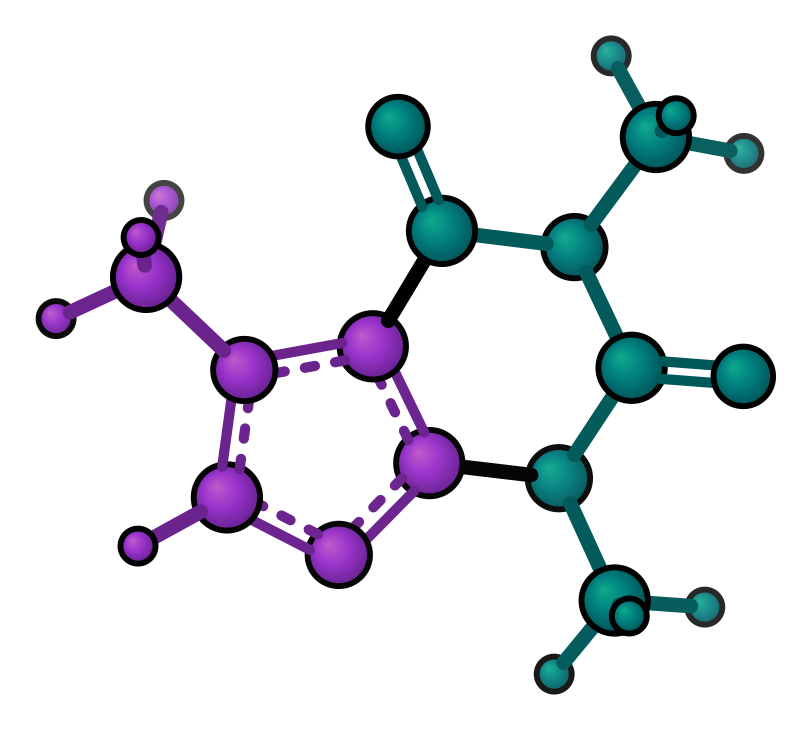
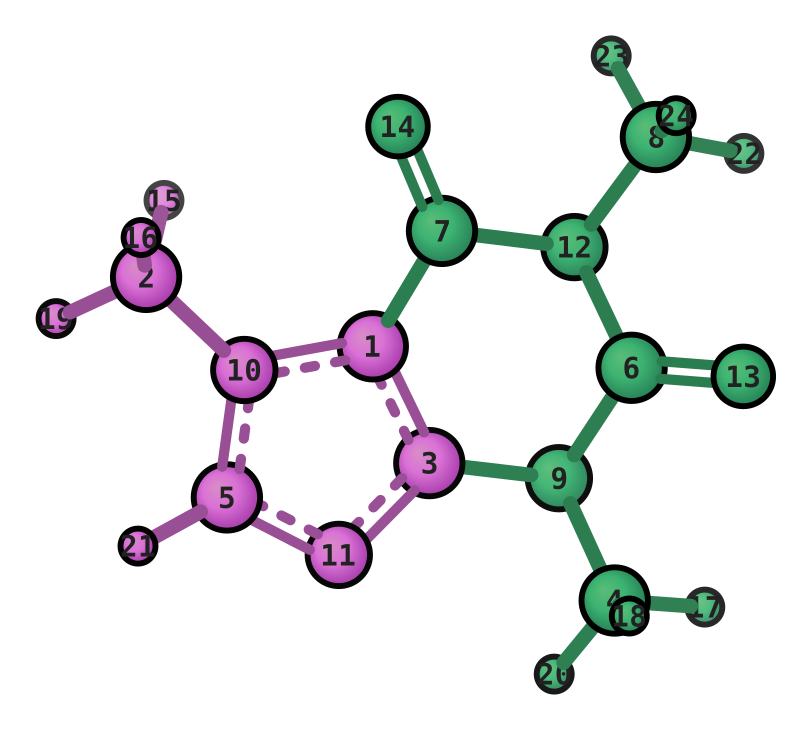
Highlight multiple atom groups with different colors. Each --hl flag specifies atoms and an optional color. Groups without a color are auto-assigned from the preset palette.
# Two groups with explicit colors
xyzrender caffeine.xyz --hl "1-3,5,10,11,15,16,19,21" maroon --hl "4,6-9,12-14,17,18,20,22-24" teal --hy

# Auto-color from palette (orchid, mediumseagreen, goldenrod, ...)
xyzrender caffeine.xyz --hl "1-5" --hl "6-10" --hl "11-14" --hy
Multi-group (explicit colors) |
Mol color + highlight + indices |
|---|---|
|
|
Python
# Multi-group with explicit colors
render(mol, highlight=[("1-3,5,10,11,15,16,19,21", "maroon"),
                       ("4,6-9,12-14,17,18,20,22-24", "teal")], hy=True)

# Auto-color from palette
render(mol, highlight=["1-5", "10-15"])

# List-of-lists form
render(mol, highlight=[[1, 2, 3, 4, 5], [10, 11, 12, 13, 14, 15]])

# With explicit colors via list[int]
render(mol, highlight=[([1, 2, 3, 4, 5], "blue"), ([10, 11, 12], "red")])
Molecule color + highlight
Use --mol-color as a neutral base, then --hl to pick out specific regions. Highlight overrides the molecule color for both atoms and bonds.
xyzrender caffeine.xyz --hl "1-3,5,10,11,15,16,19,21" --mol-color mediumseagreen --hy --idx n
Python
render(mol, mol_color="mediumseagreen", highlight=[1, 2, 3, 5, 10, 11, 15, 16, 19, 21],
       hy=True, idx="n")
Preset palette
The default highlight palette is defined in default.json and can be customised in a preset file:
"highlight_colors": ["orchid", "mediumseagreen", "goldenrod", "coral", "mediumpurple", "hotpink"]
Groups are assigned colors in order: first group gets orchid, second mediumseagreen, etc. The palette cycles if there are more groups than colors.
Radius scale
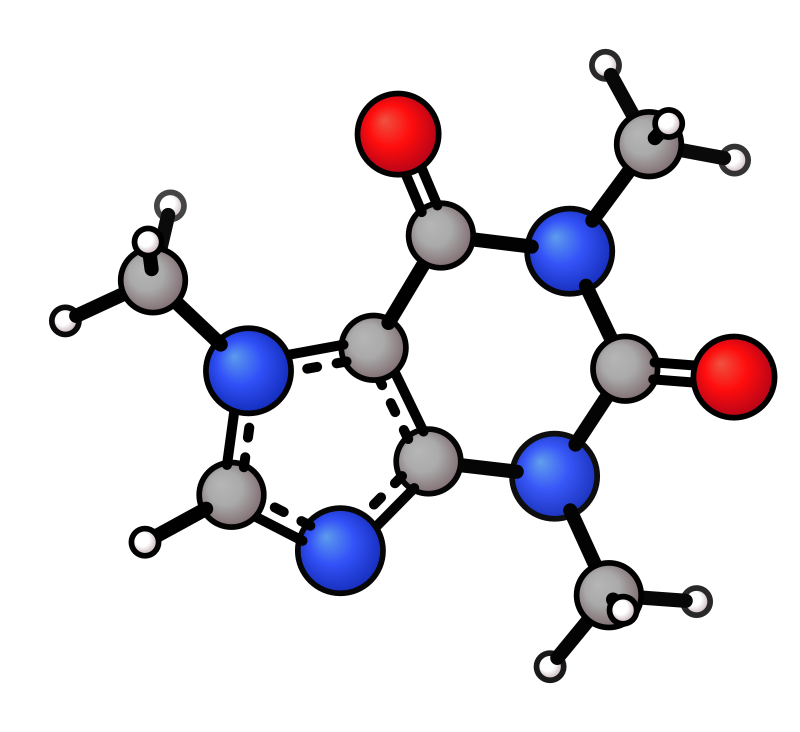
Scale atom radii for selected atoms. Uses the same selector syntax as --hl. The factor multiplies on top of the global --atom-scale (-a). Repeatable.
Single atom scaled (Co ×2) |
Multi-group (N,O ×1.4 + H ×0.8) |
|---|---|
|
|
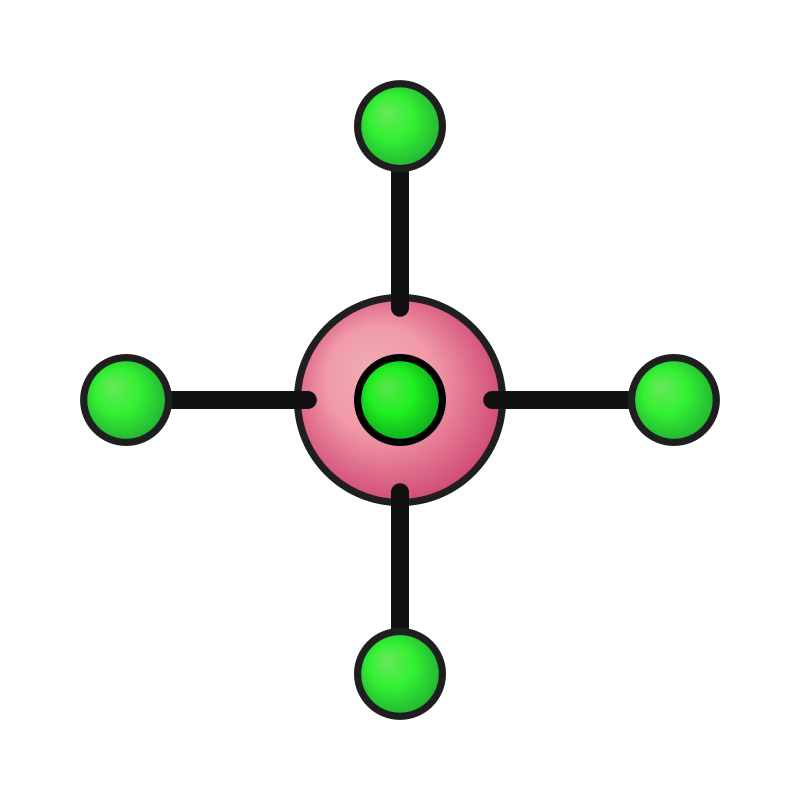
xyzrender CoCl6.xyz --radius-scale "Co" 2                                   # scale Co up
xyzrender caffeine.xyz --hy --radius-scale "N,O" 1.4 --radius-scale "H" 0.8 # multiple groups
xyzrender mol.xyz --radius-scale "1-5,8" 2.0                                # by atom index
xyzrender mol.xyz --radius-scale "M" 1.5 --radius-scale "3,7-9" 0.6         # mix element + index
Python
render(mol, radius_scale=[("N", 2.0)])
render(mol, radius_scale=[("M,67,68", 2.0), ("H", 0.8)])
render(mol, radius_scale=[([1, 2, 3], 3.0)])  # 1-indexed list
Per-atom opacity
Fade specific atoms of the primary molecule to push them visually into the background while keeping their connectivity intact — --atom-opacity affects the atom circle only; adjacent bonds stay fully opaque. Same selector syntax as --hl; repeatable for distinct fade levels. Stacks with other per-atom flags like --radius-scale, so you can fade one subset and enlarge an overlapping one in the same render.
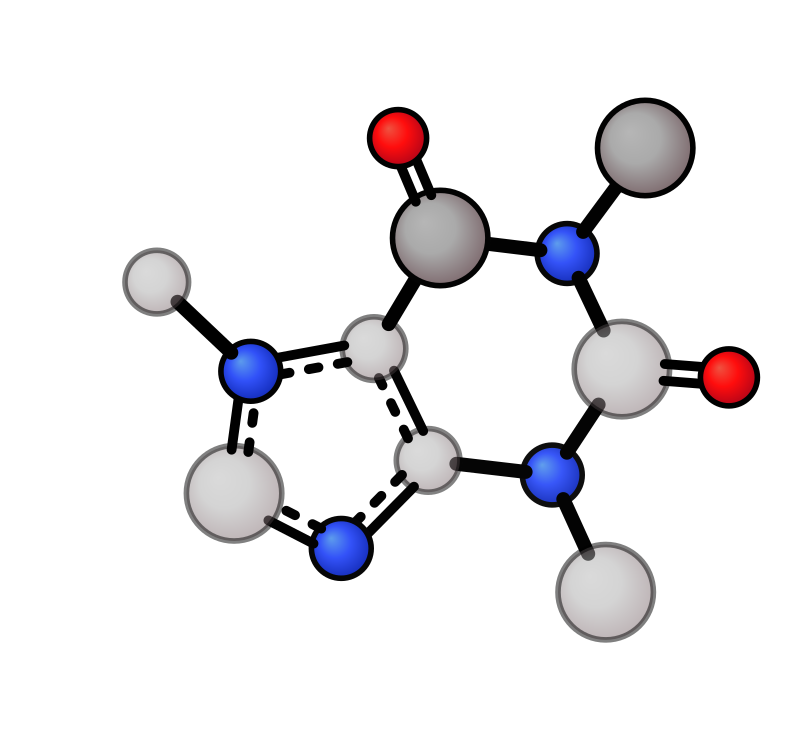
# Fade one ring and simultaneously enlarge a (partially overlapping) subset
xyzrender caffeine.xyz --atom-opacity "1-6" 0.5 --radius-scale "4-8" 1.5

# Fade the entire primary molecule (useful when combined with --overlay)
xyzrender caffeine.xyz --atom-opacity all 0.4

# Element selectors, repeat for multiple fade levels
xyzrender mol.xyz --atom-opacity "M" 0.4 --atom-opacity "het" 0.7
Python
# Selector form (same grammar as --atom-opacity on the CLI, matches radius_scale):
render(
    mol,
    atom_opacity=[("1-6", 0.5)],     # one spec, multiple atoms
    radius_scale=[("4-8", 1.5)],     # stacks independently
)
render(mol, atom_opacity=[("M", 0.4), ("het", 0.7)])   # element categories
render(mol, atom_opacity=[([1, 2, 3], 0.5)])           # bare 1-indexed list
Or a plain {1-indexed atom: value} dict when you want per-atom values:
render(mol, atom_opacity={1: 0.3, 2: 0.5, 7: 0.8})     # per-atom levels
render(mol, atom_opacity=dict.fromkeys([1, 2, 3], 0.5))  # one value, broadcast
Composes with overlay / ensemble opacity by taking the min of both.