Molecular Orbitals
Render MO lobes from .cube or .cub files with --mo. The cube file contains both geometry and the orbital grid — no separate XYZ file needed.
When auto-orientation is active (default), the molecule is tilted 45° around the x-axis after alignment so lobes above and below the molecular plane are clearly visible. Use --no-orient to render in raw cube coordinates, or -I to use the v viewer for interactive orientation.
Cube files are typically generated by ORCA (orca_plot) or Gaussian (cubegen).
Python. Most
xyzrenderflags map 1:1 to keyword arguments onrender()(--foo bar→foo="bar"). The exception here is--mo-colors POS NEG, which splits into two kwargs →mo_pos_color="steelblue", mo_neg_color="maroon". Load a cube once for repeated renders withmol = load("homo.cube"). See the Python API guide.
from xyzrender import load, render

mol = load("caffeine_homo.cube")
render(mol, mo=True, output="caffeine_homo.svg")
render(mol, mo=True, iso=0.03, mo_pos_color="maroon", mo_neg_color="teal", opacity=0.8)
render(mol, mo=True, surface_style="mesh")
HOMO (default) |
LUMO (opaque + outlined) |
|---|---|
|
|
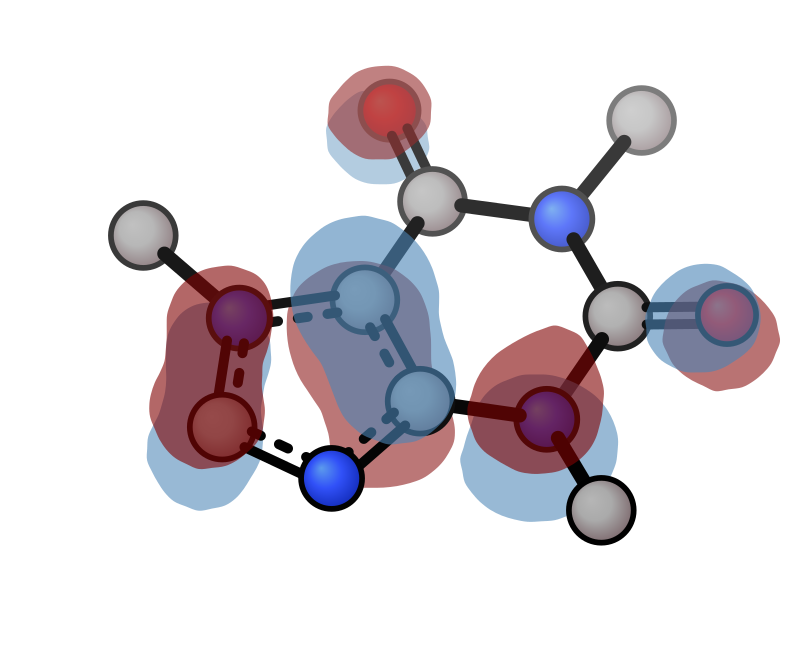
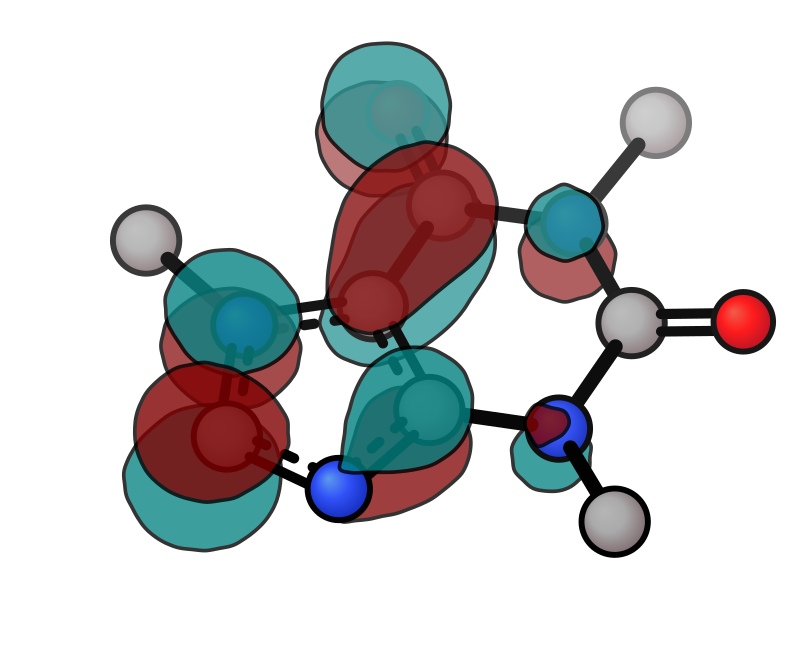
The HOMO uses the default translucent appearance. The LUMO pairs --mo-outline-width with a high --opacity — outlines look cleanest on opaque lobes; at the default translucency the stroke fades along with the fill.
HOMO + H (iso 0.03) |
HOMO rotation |
|---|---|
|
|
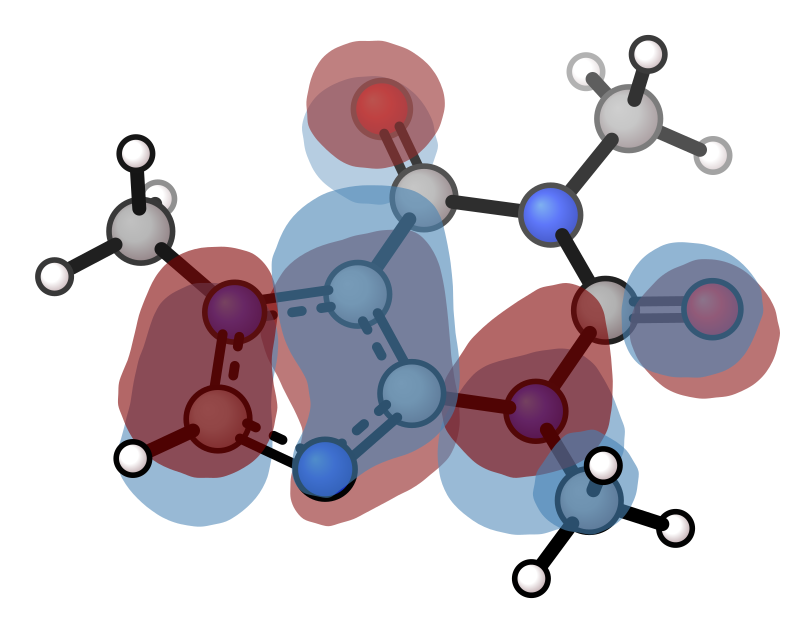
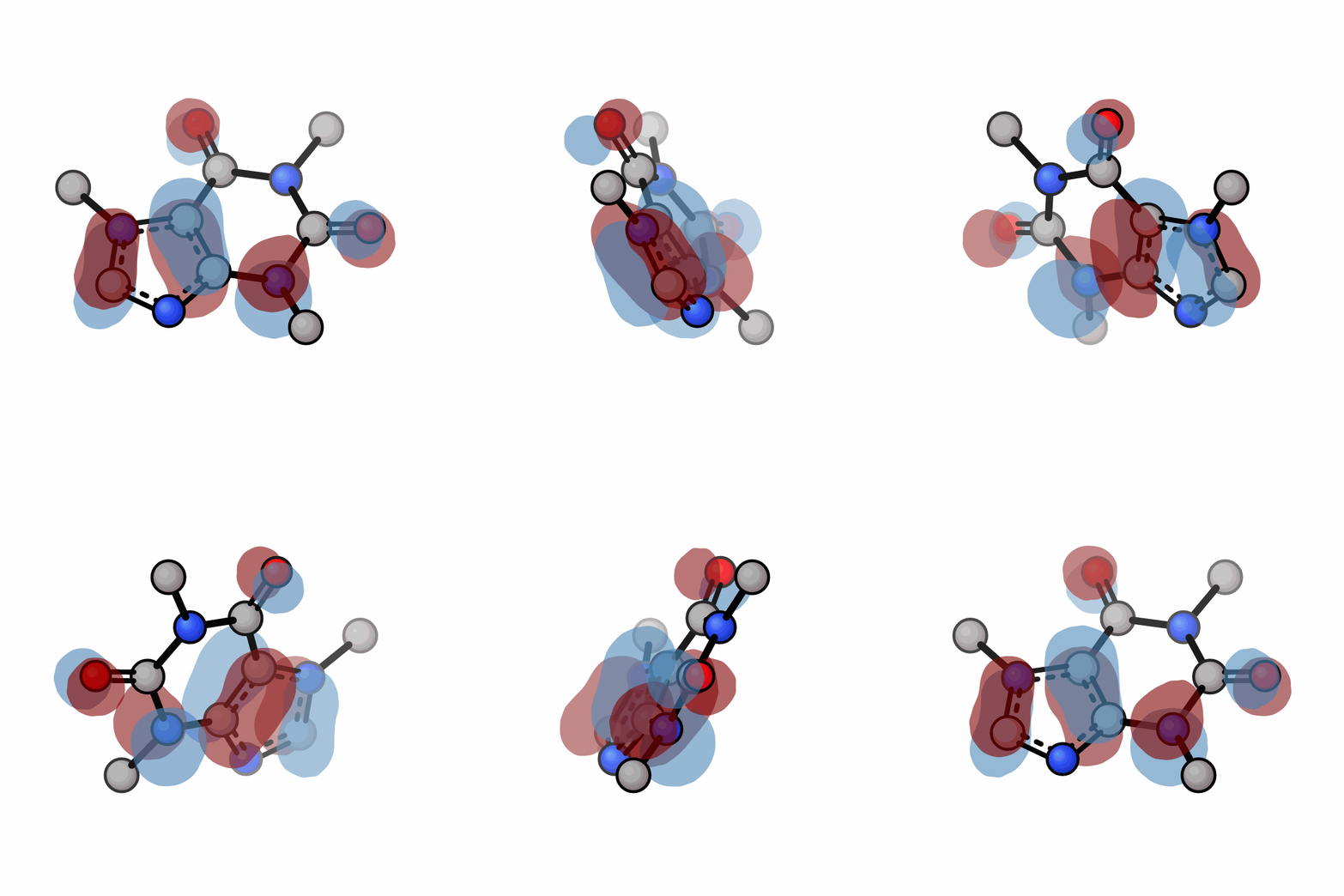
xyzrender caffeine_homo.cube --mo -o caffeine_homo.svg
xyzrender caffeine_lumo.cube --mo --mo-colors maroon teal --opacity 0.8 --mo-outline-width 5 -o caffeine_lumo.svg
xyzrender caffeine_homo.cube --mo --hy --iso 0.03 -o homo_iso_hy.svg
xyzrender caffeine_homo.cube --mo --gif-rot -go caffeine_homo.gif
Surface styles
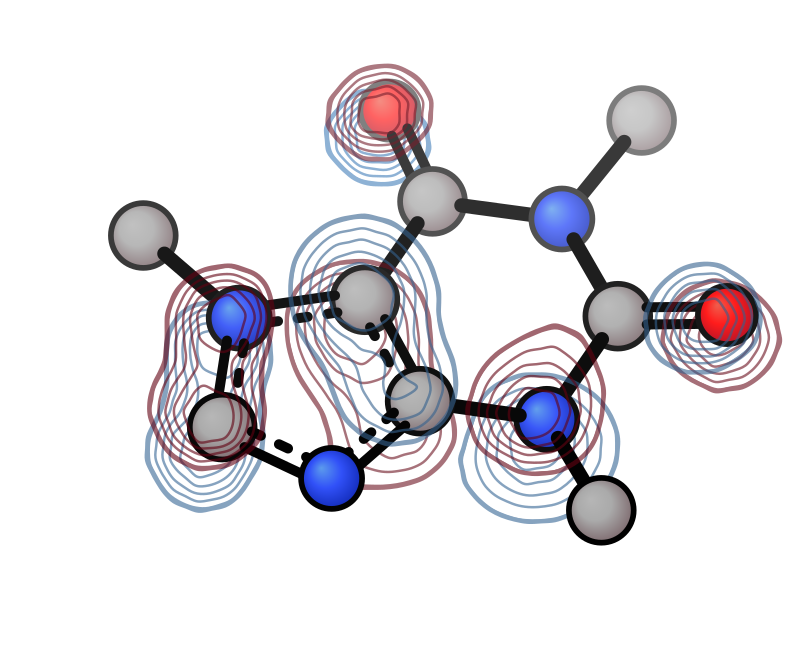
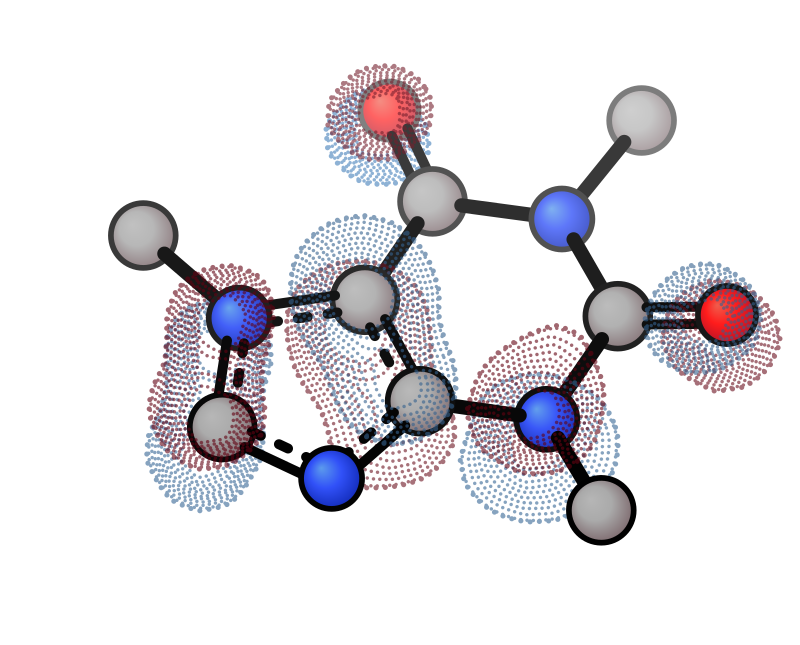
All contour-based surfaces (MO, density, NCI) support alternative rendering styles via --surface-style:
Mesh |
Contour |
Dot |
|---|---|---|
|
|
|
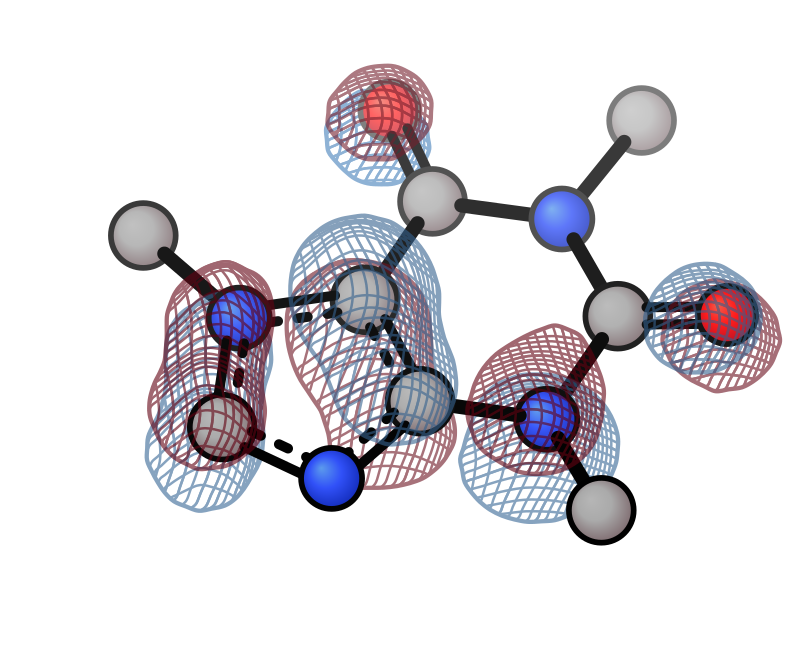
xyzrender caffeine_homo.cube --mo --surface-style mesh
xyzrender caffeine_homo.cube --mo --surface-style contour
xyzrender caffeine_homo.cube --mo --surface-style dot
Style |
Description |
|---|---|
|
Filled surfaces with depth cueing |
|
Warped grid lines emulating a 3D wireframe |
|
Iso-value contour rings showing surface depth |
|
Stippled contour rings (dots denser toward centre) |
MO flags
Flag |
Description |
|---|---|
|
Enable MO lobe rendering (required for |
|
Isosurface threshold (default: 0.05 — smaller value = larger lobes) |
|
Surface opacity (default: 0.6 when |
|
Surface rendering style: |
|
Lobe colors as hex or named color (default: |
|
Outline stroke per lobe (solid style only; pair with |
|
Outline color (default: black) |
|
Disable depth-fog colour blend on MO lobes |
|
Gaussian blur sigma for lobe smoothing (default: 0.8, ADVANCED) |
|
Upsample factor for contour resolution (default: 3, ADVANCED) |